Image Detail Layer
The Image Detail layer will allow you to add images in JPEG, PNG or SVG formats. These are usually used for adding logos or regulatory markings to your gauges.
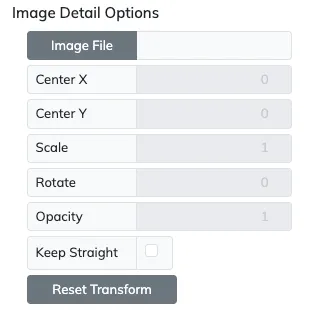
| Setting | Description |
|---|---|
| Image File | Click this button to load the image for this Image Detail layer. |
| Center X | This value will set the image’s X axis center location. |
| Center Y | This value will set the image’s Y axis center location. |
| Scale | This value will scale the image, being 1.0 the default image’s size. |
| Rotate | This value will rotate the image around its center, being 0° the default image’s straight orientation. |
| Opacity | This value will set the opacity of the image, being 1 fully opaque and 0 completely transparent, |
| Keep Straight | Enable this setting to keep the image straight at its radial position, and keep disabled to make the image tangential at the current angle. |
| Reset Trasnform | Reset the Center X/Y to 0, the Scale to 1 and Rotation to 0°. |